
MFH Studio: building scripts graphically
Before this page
Getting started and Homogenization schemes, for the RVE and scheme calls the studio writes, and Translating Echoes scripts: echoes2mfh, whose code generator it shares.
MFH Studio is a local web interface that builds MeanFieldHomogenization scripts. It draws the shape of the phase being edited, runs the model, and — the part that makes it safe to use on existing work — reads a script back and preserves everything it does not recognize.
The script stays the deliverable. The studio is a way of writing one, not a format to be locked into.
Starting the studio
The studio comes with the package. In a Julia session:
using MeanFieldHomogenization
mfhstudio()                  # starts the studio and opens a browser
mfhstudio(port = 9000)       # another port
mfhstudio(no_browser = true) # stay in the terminal; the address is printed
h = mfhstudio(wait = false)  # keep the REPL free; close(h) stops the studio
mfhstudio(check = true)      # prepare and check the compute environment, then stop
MeanFieldHomogenization.Studio.mfhstudio Function
mfhstudio(; host = "127.0.0.1", port = nothing, no_browser = false,
            project = nothing, julia = nothing, check = false, wait = true,
            update = false)
Start MFH Studio, the graphical builder of MeanFieldHomogenization models, and block until it stops (press Ctrl-C in the REPL). With wait = false, return a handle at once and keep the REPL free: close(handle) stops the studio.
The page builds the scales of a model, its phases and its schemes, shows its inclusions in 3-D, writes the Julia script of the model as it changes, reads a script back (keeping verbatim what it does not model), and runs it. The scripts run in a separate Julia process, in an environment of their own, @mfh-studio, which the first launch prepares (several minutes; the page opens at once and shows the progress).
Arguments
host/port— where to listen; the address printed ishttp://host:port/?token=…, the token being what the page presents with every request (the studio runs code on request). Withoutport, the studio takes 8765, or the next free port when 8765 is taken (ChemistryLab Studio uses 8766, so both run together); aportgiven explicitly is used or refused.no_browser— start without opening the browser (the address is printed).project— the environment the scripts run in: a folder, or@namefor a shared one. By default the studio's own@mfh-studio, which it creates and keeps; theMFHSTUDIO_PROJECTenvironment variable is honored. An environment named this way is only checked, never modified.julia— the Julia executable of the compute process (default: the running one; theJULIAenvironment variable is honored).check— prepare and check the compute environment, print what it holds, and stop instead of serving.wait— block until the studio stops (default), or return its handle.update— update the packages of the studio's environment before starting.
Opening an Echoes script (.py) translates it with tools/echoes2mfh, which needs Python 3.10 or later (the MFHSTUDIO_PYTHON environment variable names one); nothing else in the studio does.
On a remote machine (SSH, a VS Code remote window) the studio prints its address: open it on your own machine, after forwarding the port (ssh -L 8765:127.0.0.1:8765 …; VS Code forwards it by itself).
Examples
using MeanFieldHomogenization
mfhstudio()                     # opens the browser on http://127.0.0.1:8765
mfhstudio(port = 9000)          # another port
mfhstudio(no_browser = true)    # stay in the terminal
h = mfhstudio(wait = false)     # keep the REPL; later `close(h)`
mfhstudio(check = true)         # diagnose the compute environment
mfhstudio() blocks the REPL, like Pluto.run(), until the studio stops: Ctrl-C shuts it down cleanly. With wait = false it returns a handle at once, and close(h) stops the studio, as the end of the Julia session does.
Two processes, and the first launch
The page talks to a small server that runs in your Julia session, where MeanFieldHomogenization is already loaded: the forms, the script, the 3-D view and reading a script back are served from there. Run is not. A script runs in a second Julia process, in an environment of its own named @mfh-studio, which holds the very MeanFieldHomogenization you loaded (the clone you develop, if that is what is loaded), TensND for the tensors the scripts write, and Plots for their figures. A script that loops forever or exhausts the memory takes that process down, never your session.
The first launch prepares @mfh-studio. On a fresh installation this downloads and compiles the packages, which takes several minutes, once. The page opens at once and shows the progress in a banner; everything but Run works meanwhile. Each launch then loads the packages and compiles a first homogenization, and the badge in the top-right reads Julia ready when Run can be pressed.
Stop interrupts a run. When the interrupt does not take (code that never yields, or Windows), the compute process is restarted after a few seconds, and the next run compiles again.
Restart boots the compute process anew, after a failure for instance.
A run is refused, before it starts, when less than 1.5 GB of memory are free, and a run that outgrows what the machine can spare is stopped, with a message saying so.
project = …, or the MFHSTUDIO_PROJECT environment variable, runs the scripts in another environment, a folder or @name. Such an environment is checked (it must hold the MeanFieldHomogenization that runs, TensND and Plots), never modified. update = true updates the packages of @mfh-studio before starting.
The address and its token
Without port, the studio listens on 8765, or on the next free port when 8765 is taken, by an editor's port forward or by another studio (ChemistryLab Studio uses 8766, so both run together); a port you name is used or refused. The address it prints ends with ?token=…, a random key drawn at each start. The page sends it back with every request and the server answers no request without it, nor one coming from another site: the studio runs Julia code on request, and the key keeps other web pages and other users of the machine out. Keep the address to yourself.
On a remote machine
When Julia runs on another machine (over SSH, or in a VS Code remote window), the studio prints its address instead of opening a browser. Open it on your own machine: VS Code forwards the port by itself, and over SSH you forward it when you connect, ssh -L 8765:127.0.0.1:8765 user@machine.
Running a saved script without the studio
A script the studio saved runs on its own, in the studio's environment:
julia --project=@mfh-studio porous_schemes.jlIts first lines look for a Project.toml naming MeanFieldHomogenization in the folders above the script, and activate it when they find one: a script saved inside a clone, or inside a project of yours, runs in that project whatever environment started it.
When something goes wrong
| What you see | What to do |
|---|---|
| The banner says Preparing the compute process | Wait: the log under it shows what is installed or compiled. |
| Julia unavailable, with a message | Read the message (hover the badge); mfhstudio(check = true) diagnoses the environment, and Restart tries again. |
| Only … GB of memory are free | Close other programs, then run again. |
| The calculation was stopped: it needed more than … | Make the calculation smaller (fewer points in the sweep, for instance). |
| port … is already in use | Another program holds that port: mfhstudio(port = 9000). |
| The packages are old | mfhstudio(update = true). |
Start here: the worked examples
The quickest way in is not to build a model but to open one. Open… starts in the studio's library of ten small models, covering most of what the interface can express:
| file | what it shows |
|---|---|
01_porous_schemes.jl | every scheme on one figure — where they agree, and where they fail |
02_cracked_solid.jl | cracks entering with a density, and orientation averaging |
03_coated_inclusion.jl | one inclusion with concentric shells |
04_conductivity_fibers.jl | the same schemes answering a conduction problem |
05_two_scales.jl | the multiscale seam, and a sweep reaching through it |
06_laminate_basics.jl | the exact laminate; Backus, and both bounds saturating |
07_laminate_interfaces.jl | an imperfect interface and the size effect it brings |
08_laminate_multiscale.jl | a layer that is itself a homogenized cell |
09_aging_creep.jl | a viscoelastic phase, and the creep curve |
10_sensitivities.jl | derivatives of the effective property, by autodiff |
Each is a running script and a filled-in model: open one, change a number in the form, watch the Julia on the right follow, press Run. Each names the scripts/ demo it is drawn from, so the physics is one click away. An example opens with no file bound to it, and Save asks where to keep your copy: the library belongs to the package.
They are the studio's own output, written by the same code generation as your scripts from the model each one embeds, which is why they reopen with every form filled in; the tests check that they still match what the studio writes today. The hand-written demos in scripts/ do not reopen that way: they build their cells at top level, the way one writes Julia directly, and the studio preserves those verbatim rather than offering them for editing. Read scripts/ for the physics; open the library to turn the knobs.
The layout
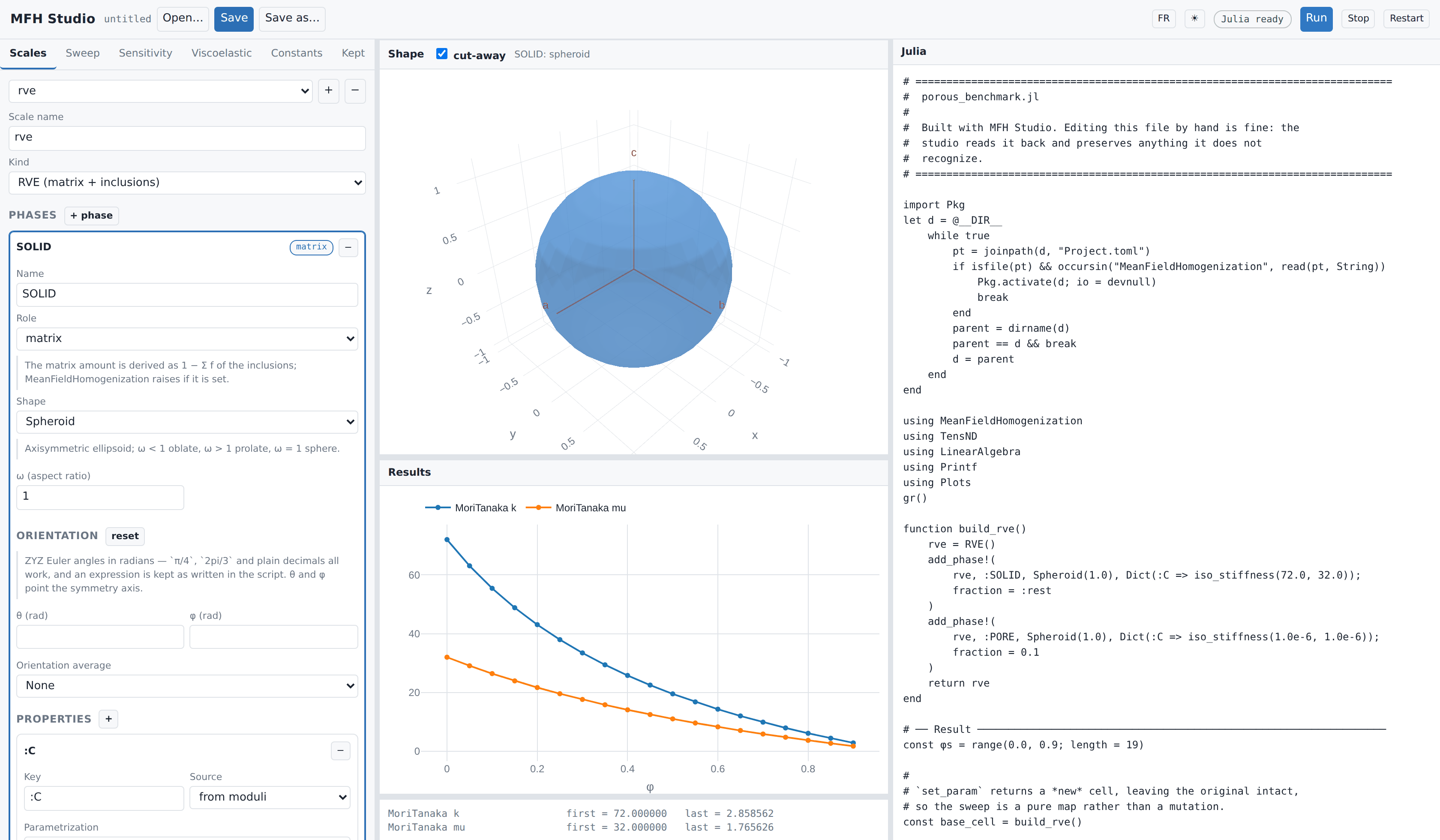
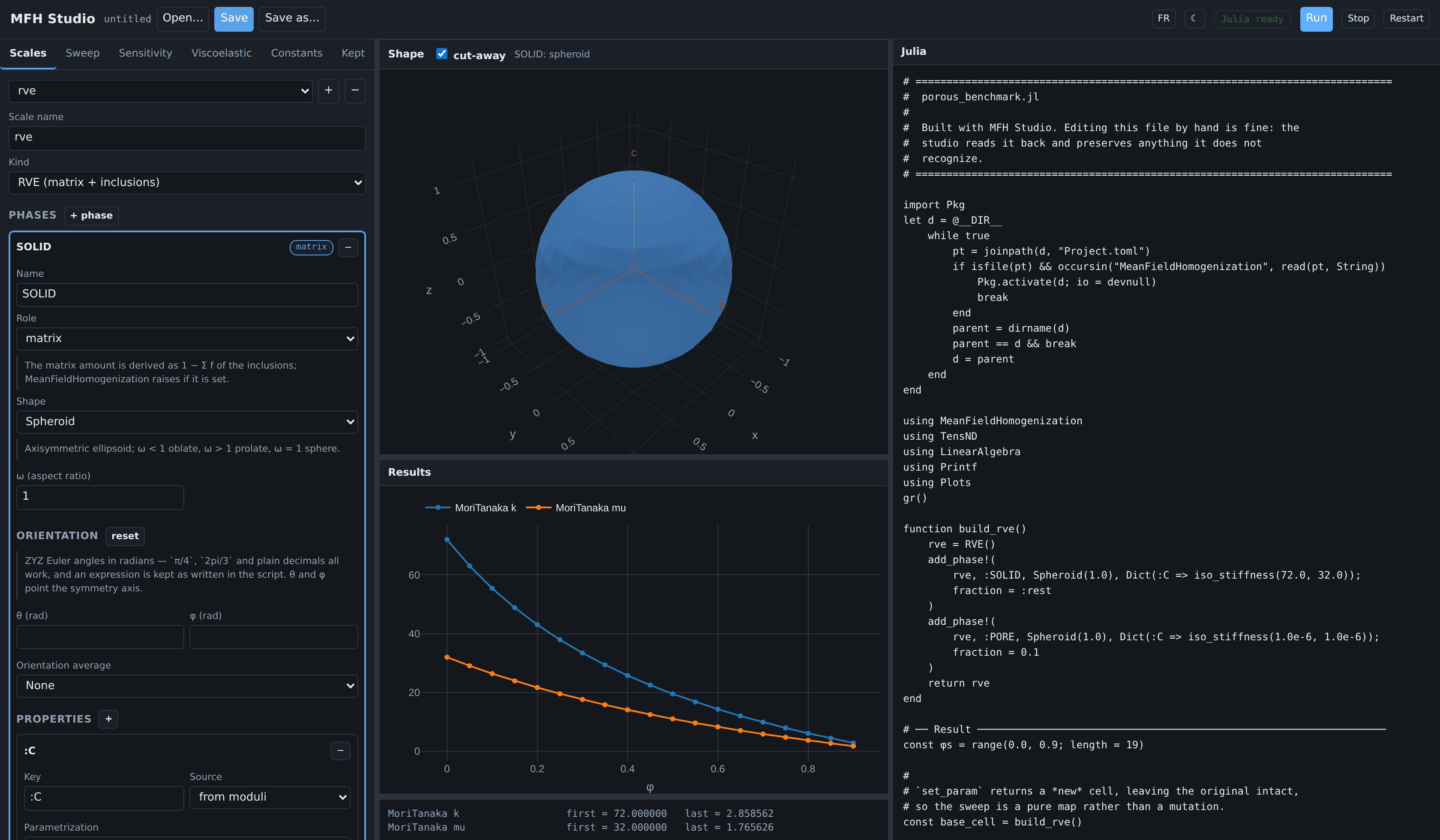
Three columns: the model on the left, the shape and the results in the middle, the Julia on the right. The script is regenerated on every edit, so what is displayed is exactly what Save writes.
Every boundary between panels is a drag handle — the two between the columns, and the ones between the graph, the 3-D view, the results and the output log. Double-click a handle to put that one back where it started. The sizes are remembered between sessions, per browser.
The button ◐ in the header switches the theme: as the system has it, light or dark. The choice is remembered per browser, and the plots follow it. The button FR (EN once switched) puts the page in French or back in English, remembered the same way; the script, its comments and the messages from Julia stay in English, since they are what a run prints and a file keeps.
The Shape panel draws the geometry of the phase currently selected — a single inclusion, from its semi-axes and orientation. It is not a picture of the microstructure: mean-field homogenization never builds one, and nothing here places inclusions in a volume or shows how they are distributed. What the panel is good for is checking that the shape you described is the shape you meant.
The screenshot shows the porous benchmark after pressing Run — a solid matrix
Two conventions the interface removes rather than documents:
A phase whose amount is set to rest has no value field. MeanFieldHomogenization derives it as
Moduli are entered as physical
or and emitted through iso_stiffness(from TensND). The rawTensISO{3}constructor, which takes, never appears.
Shapes that have one carry an Orientation block: ZYZ Euler angles in radians, as many as the shape admits — two for a spheroid or a penny crack, which only need their axis pointed, three for an ellipsoid or an elliptic crack. The field shows the degree equivalent beside the label, and the drawing follows, so a mis-typed angle is visible rather than hidden until the numbers come out wrong.
Solver options follow the scheme rather than homogenize, and the list offered for each scheme is read from the scheme itself — SelfConsistent shows abstol, reltol, maxiters, damping, select_best, verbose; DifferentialScheme shows nsteps and formulation. The interface cannot fall behind MeanFieldHomogenization because it never hard-codes that list.
The default shown beside each option is the one the scheme actually uses, and it is not the same for every scheme: the self-consistent solvers stop at abstol = 1e-12, reltol = 1e-8, while DifferentialScheme hands 1e-8 / 1e-6 to the SciML solve. Overriding abstol alone rarely changes anything — see Solver tolerances.
Layered inclusions
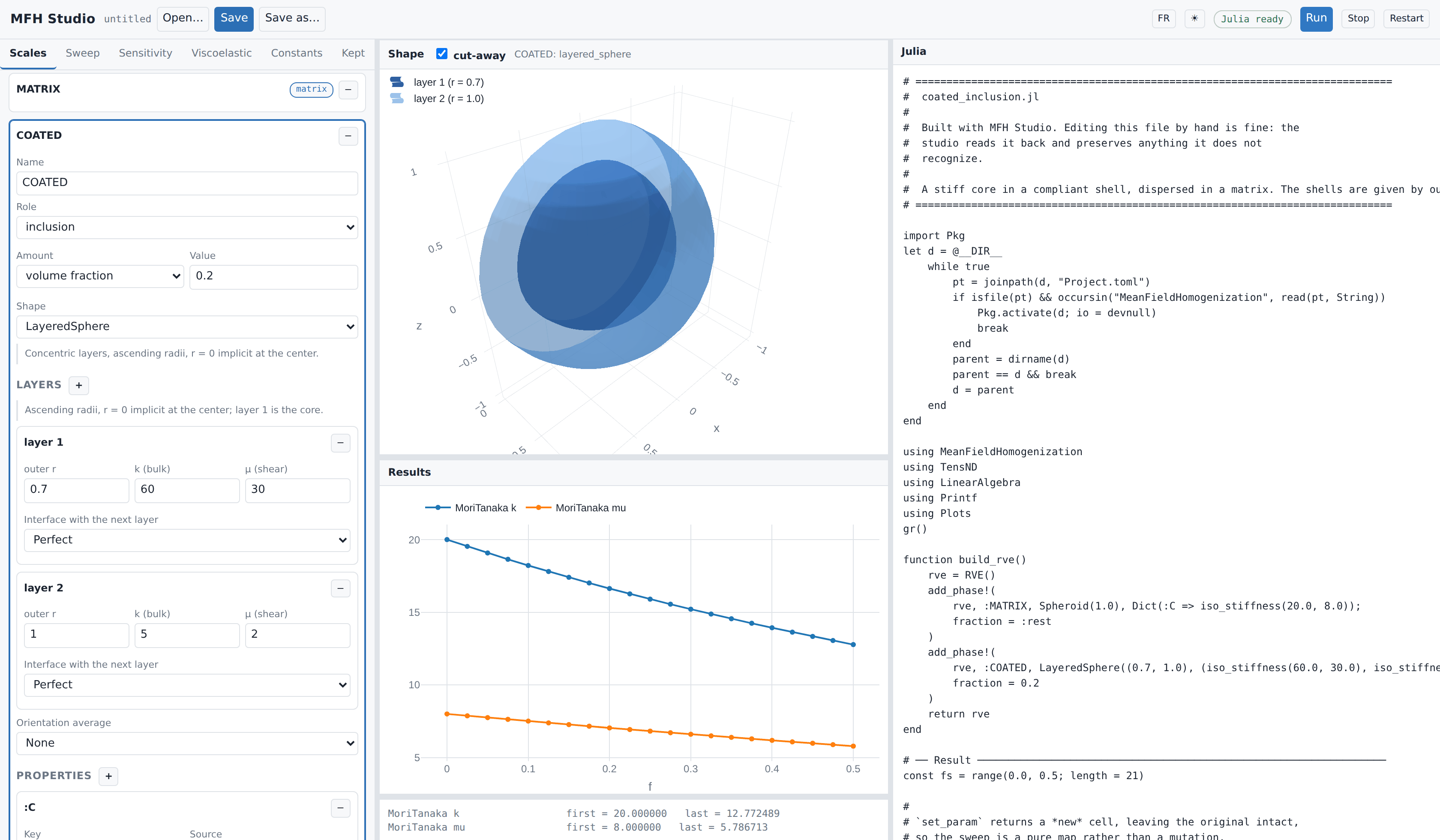
Choosing LayeredSphere turns the phase editor into a table of layers — outer radius, moduli, and the interface with the next layer (perfect, spring, membrane, Kapitza, surface-conductive). The 3-D view cuts the shells open, which is the only way a layered inclusion is readable at all: without the cut-away only the outermost shell is visible.
Radii are ascending with LayeredSphere.
A LayeredSpheroid is described differently, because it must be confocal: every layer shares one focal distance, and radii entered one by one essentially never do. The form therefore asks for the outer aspect ratio, the outer semi-axis and a volume fraction per layer, and layered_spheroid_from_fractions solves for the confocal radii. It is a conduction geometry, so its layers carry a conductivity rather than moduli.
Laminates
Everything above describes an RVE: a matrix with inclusions dispersed in it, a random morphology that the mean-field schemes estimate. The Kind selector at the top of the Scales panel offers a second kind of cell.
A laminate is a periodic stack of parallel layers of common normal. It has no matrix, no reference medium and no auxiliary Eshelby problem — and its effective behavior is exact, not an estimate. It is the deterministic counterpart of the morphologies the rest of the interface describes.
Picking Laminate replaces the phase list with a stack:
a stacking direction, given as ZYZ Euler angles — the form everything else in the interface is oriented with, so a stack reads in the same units as the anisotropic properties around it — or, for a script that states one, as a normal vector. The normal is the frame's third axis: θ tilts it away from
e₃, φ turns it aboute₃, and ψ spins the layer axes in the plane. Either way the canonical frame (no angles, or(0, 0, 1)) is where the kernel skips the frame rotation entirely and nothing is written into the script;a layer table, in stacking order, with ↑/↓ to reorder. Each layer carries a full property editor — so a layer can hold an anisotropic tensor, a viscoelastic law, or the effective property of another scale, exactly as a phase can;
an interface on top of each layer, the last one closing the cell back onto the first by periodicity.
The 3-D view draws the stack itself rather than one member, because the geometry of a laminate is the stacking direction: there is no per-layer shape. The cut-away slices it so the cross-section — the only informative view of something unbounded in its own plane — faces you.
A cell, not an inclusion
A laminate cannot be put inside a matrix. Embedding one would need its Hill tensor, which is a different and open problem. It sits beside an RVE in the scale graph, and the two connect through the ordinary seam.
Layers are given either by volume fraction (summing to 1) or by absolute thickness, never a mix — MeanFieldHomogenization refuses that, and so does the form. The distinction is physical rather than cosmetic: with a perfect interface the answer depends on the fractions alone, but an imperfect one enters with weight 07_laminate_interfaces.jl shows it: thickening the stack stiffens it.
Only three schemes apply, and the scheme list narrows to them as soon as the target cell is a laminate:
| scheme | what it is |
|---|---|
Laminated | the exact periodic solution |
Voigt, Reuss | the bounds, which need no matrix phase |
Asking for anything else is reported before the run rather than raised inside it. 06_laminate_basics.jl is worth opening for what it shows about those three: a laminate is exactly Reuss across the layers and exactly Voigt in their plane, at the same time.
Two parameters exist only here, and appear in the Sweep and Sensitivity lens lists when the target is a laminate:
layer thickness — not the same as a volume fraction. Changing
moves both and the period, so with an imperfect interface the thickness derivative also carries the size effect, which is usually what one wants; interface field — one scalar of one interface (
, , , , the Kapitza resistance, the surface conductance). Interface sits on top of layer .
Conversely a laminate has no phase amount: AmountParameter raises on one and points at the thickness instead, so the interface offers the thickness and not the amount.
Sensitivities
The Sensitivity tab differentiates the effective property through the whole scheme, by forward-mode automatic differentiation — not by finite differences, so there is no step size to choose and no cancellation to worry about.
There is nothing new to learn: the parameter is the same lens the sweep uses, and the differentiated quantity is the same output the sweep plots. The point get_param reads it off the cell — so the amounts and moduli already entered in Scales are where the derivative is taken, and nothing is typed twice.
| kind | parameters | result |
|---|---|---|
| derivative | exactly one | |
| gradient | several | one number per parameter |
| jacobian | several | the whole effective tensor, flattened, against each parameter |
gradient(cell, scheme, [amount(:PORE), property(:SOLID, :C, 1)];
         output = :C, indexer = C -> k_mu(best_fit_iso(C))[1])
The reporting projection sits inside the differentiated function, so what comes out is the derivative of the quantity actually reported. A jacobian extracts no scalar at all, which is also the way out when the result is not isotropic and k_mu therefore has no method for it.
The answer is a table in the output panel rather than a figure: a gradient is not a curve.
A sensitivity crosses scales like everything else — the nested lens composes through the seam, and the whole chain is differentiated in one pass.
Multiscale
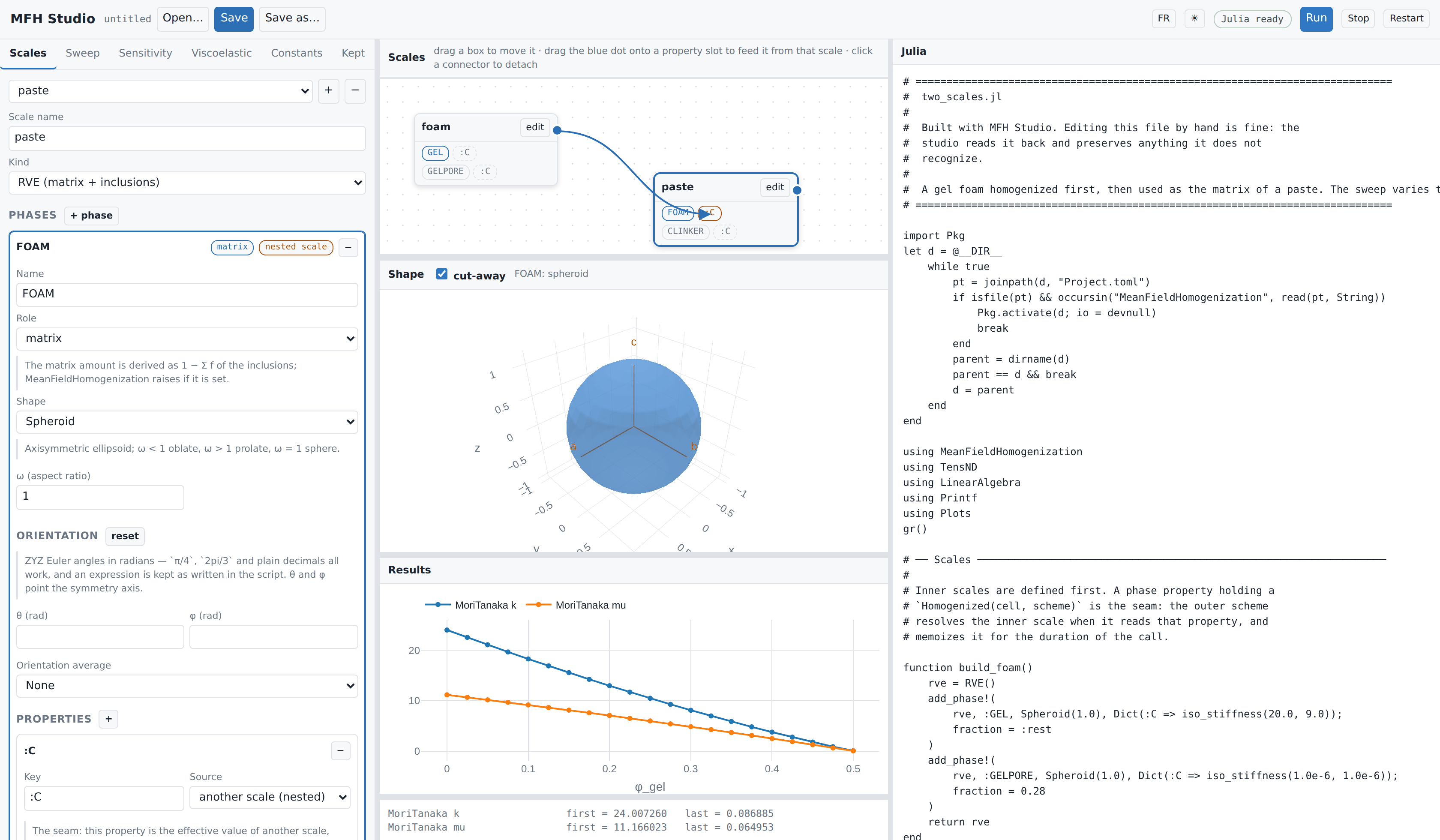
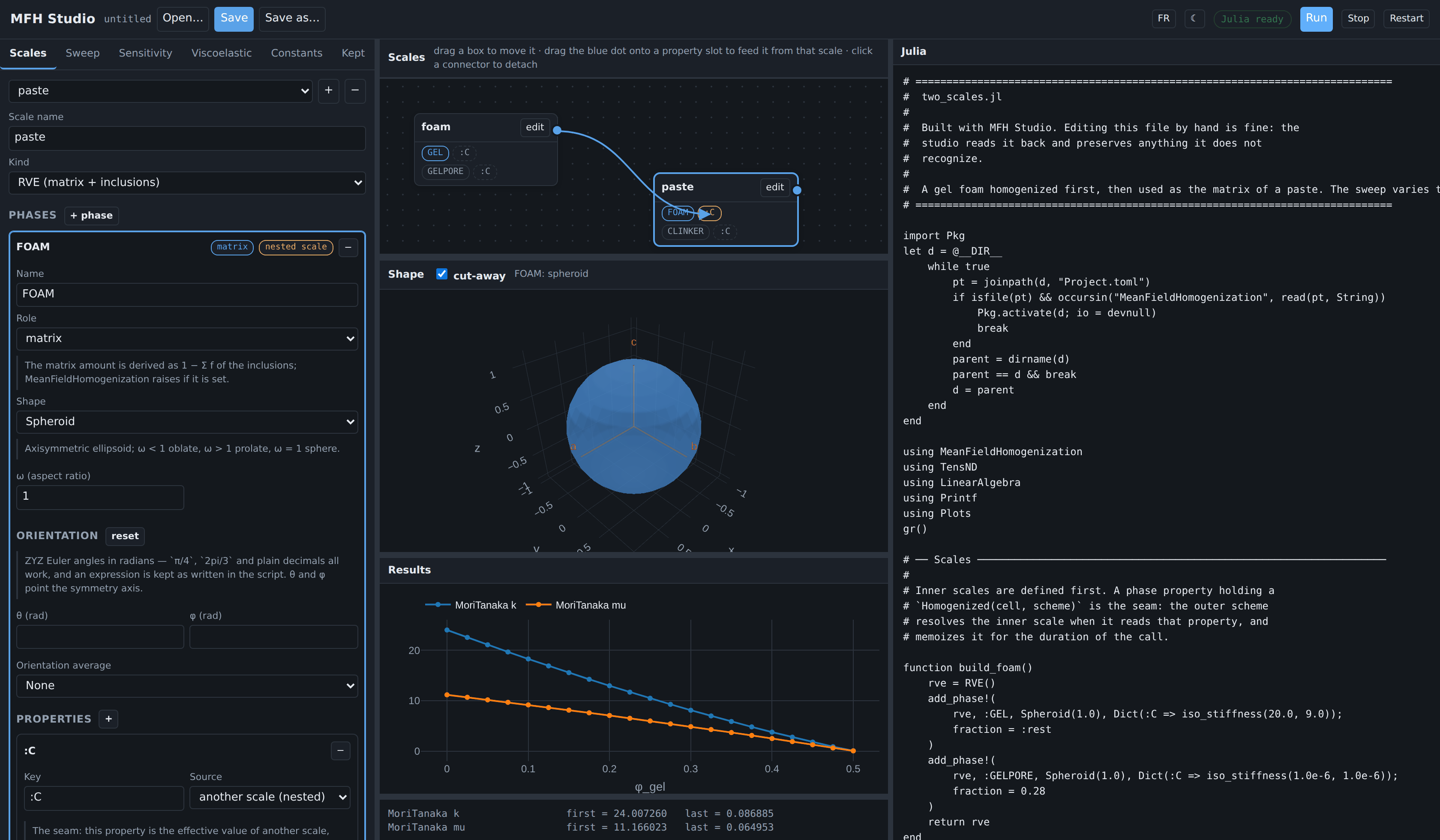
This is where the interface earns the most. MeanFieldHomogenization chains scales declaratively: a phase property may hold a Homogenized(inner_cell, scheme) instead of a tensor, and the outer scheme resolves the inner scale when it reads that key (see Multiscale models).
The Scales panel draws that graph. Each box is a scale; the blue dot on its right is its effective property; the dashed slots are the property keys of its phases. Dragging the dot onto a slot creates the seam — the connector appears and the Julia updates immediately. Clicking a connector detaches it.
The screenshot reproduces the foam/paste model of the multiscale manual: a foam homogenized self-consistently feeds the matrix of a paste containing clinker inclusions. The generated script emits build_foam() before build_paste(), because the graph is sorted topologically before writing.
A scale cannot feed itself: a connection that would close a cycle is refused when it is made, not when the script runs.
The sweep can cross scales too. The nested lens reaches through a seam into the inner cell, so sweeping the foam's porosity from the outer model is one lens rather than a hand-written closure:
cell = set_param(base_cell, nested(:FOAM, :C, amount(:PORE)), φ)Not combinable with aging viscoelasticity
An inner Homogenized cannot sit inside an ALV chain — the inner result would have to be re-expressible as a ViscoLaw. The interface refuses the combination instead of writing a script that fails at run time.
Choosing what to compute
Three tabs produce a result, and they are exclusive — a script has one Result section, so turning one on turns the others off:
| tab | what it writes |
|---|---|
| Sweep | one point, or a curve over a lens |
| Sensitivity | derivatives, by autodiff |
| Viscoelastic | an aging creep or relaxation curve |
The plot under the 3-D view shows the curve of the last run. A run that draws none (one point, a sensitivity, or a script that failed) leaves it empty with a note: its numbers are in the output below.
The Sweep tab decides the shape of the run.
One point homogenizes once with the amounts entered in Scales — the answer when you simply want the number for the fractions you typed. Sweep varies one lens over a range and draws the curve.
Either way the schemes are a list: adding a second one puts both on the same figure, which is usually the reason to draw one. Each carries its own solver options, and switching a scheme clears them, because they belong to the scheme that reads them — MoriTanaka(; verbose = false) is a MethodError, the singleton schemes taking no keywords at all.
The outputs are chosen too, and this matters more than it looks:
| Output | Defined for |
|---|---|
k, μ, E, ν | an isotropic result only |
Kelvin-Mandel component KM[i,j] | any symmetry |
tensor component C[i,j] | 2nd-order properties (conduction) |
tr/3 | mean conductivity |
Clip negative values to zero is the other reporting choice, and it belongs to the figure rather than to the physics. A scheme pushed outside its range returns negative moduli — Dilute does, well before scripts/28_porous_schemes.jl clips for exactly that reason, and 01_porous_schemes.jl reproduces it. Plotting a single scheme, leave it unticked: a negative modulus is then the useful signal that the estimate has stopped meaning anything.
k_mu has a method for TensISO (a TensND type) and nothing else. An oriented inclusion with no orientation average does not give an isotropic effective tensor, so asking for k there fails deep inside the run with a MethodError. The interface says so before you run: either pick a reporting projection, or plot components, which are defined whatever the symmetry.
Viscoelasticity
A phase becomes viscoelastic through its property, not through a separate panel: in Scales → Properties → Parametrization, choose Maxwell, a Kelvin chain, an elastic (Heaviside) phase, or a custom maxwell_iso(k, μ, η_k, η_μ) takes two relaxation times, kelvin_iso takes whole branch vectors. 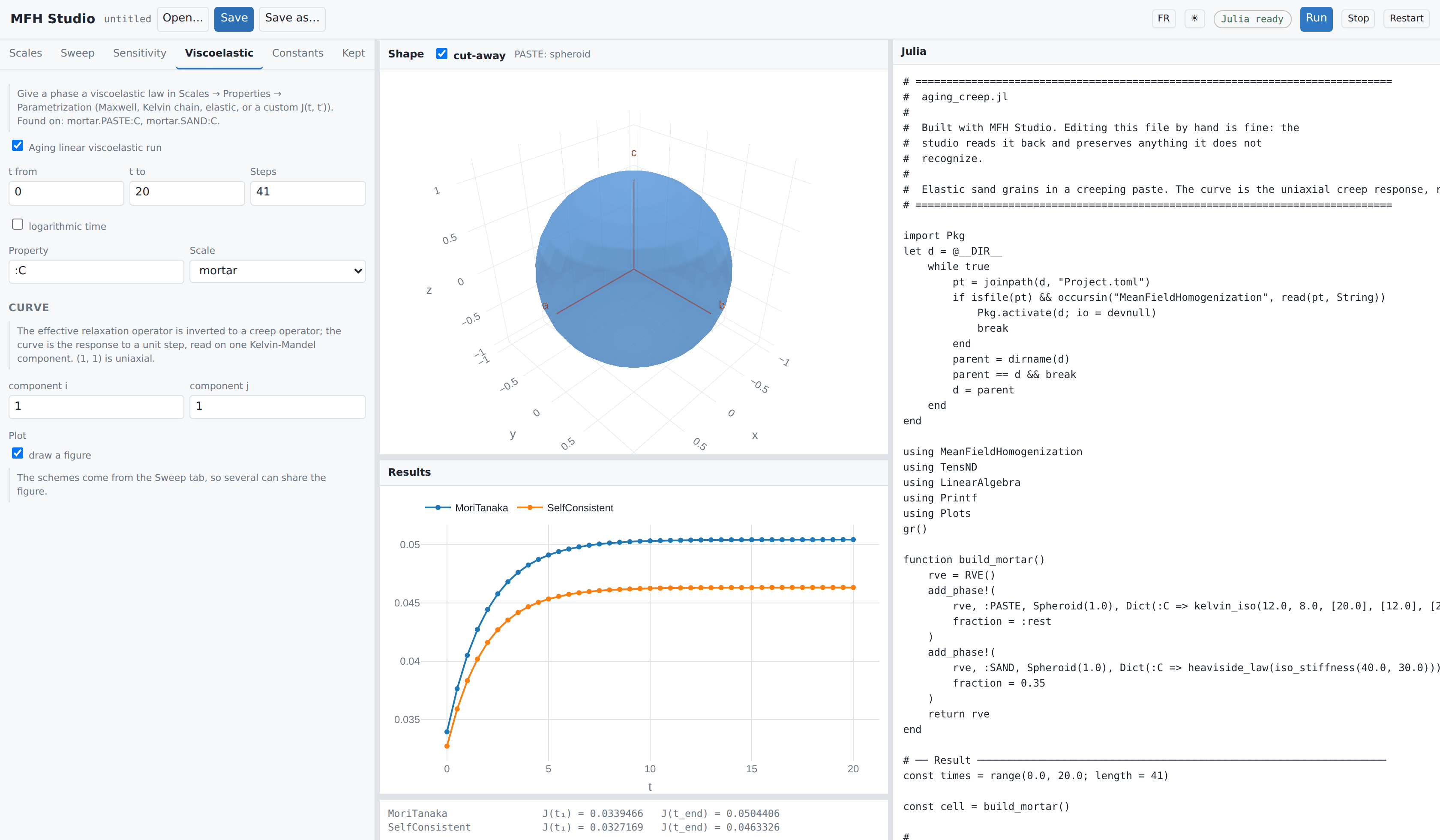
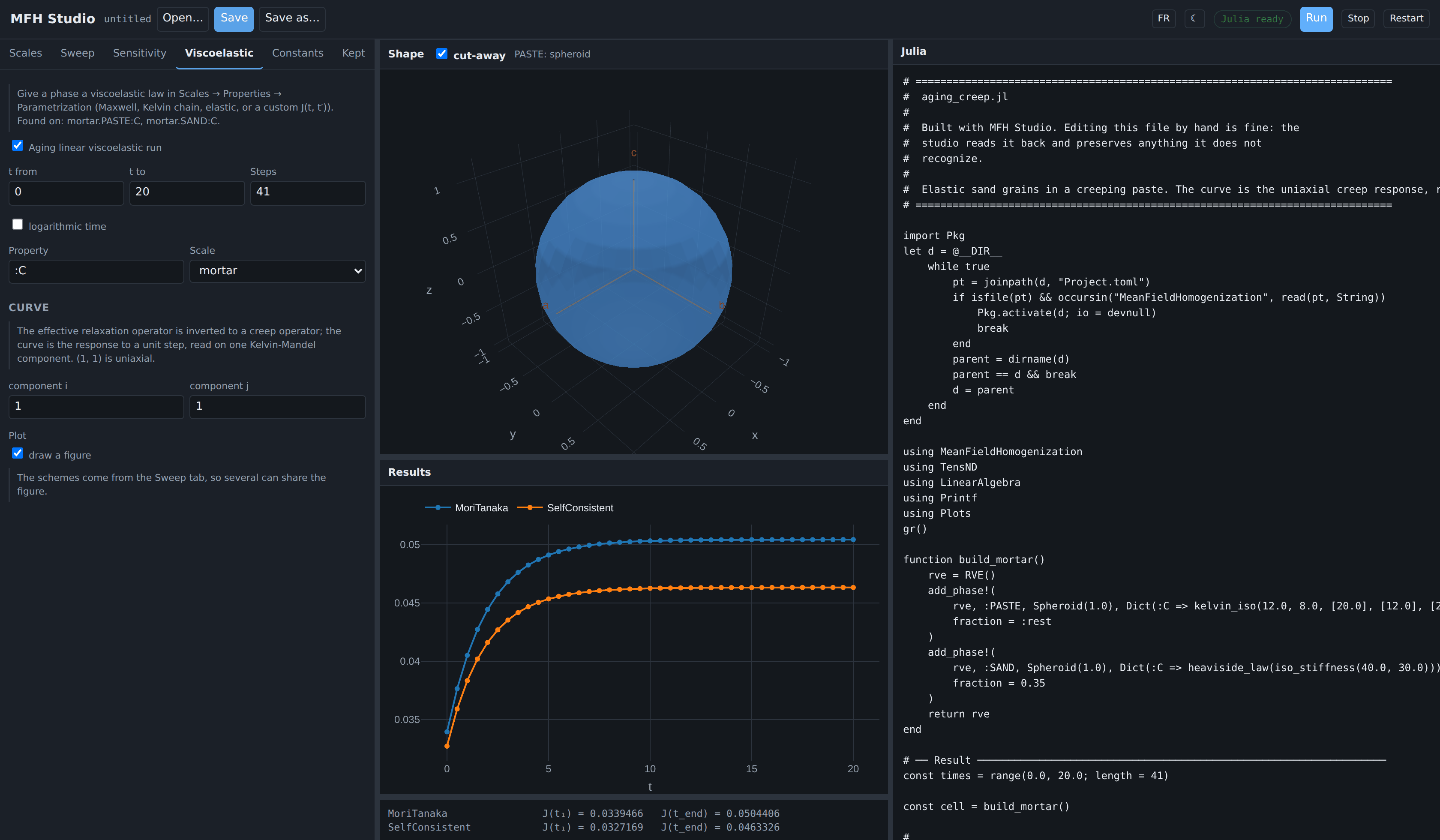
The Viscoelastic tab then only decides the time grid and the curve. It lists which phases carry a law, so a run with nothing to age says so rather than failing later. homogenize_alv returns the effective relaxation operator as a (1, 1) is the uniaxial creep response, the extraction used in scripts/62_alv_schemes.jl.
Anisotropic properties
Conductivity comes in three forms: isotropic
The frame the constants are written in
An anisotropic tensor means nothing without its frame, so every anisotropic form carries its own Orientation block of ZYZ Euler angles. It is not the shape's orientation: a tilted fiber made of an untilted material and an untilted fiber made of a tilted material are different materials, and the two angle sets are stored and emitted separately.
What the angles produce depends on the symmetry class. A transversely isotropic tensor carries an axis rather than a basis —
hoenig_stiffness(30.0, 0.3, 0.2, 0.25, 0.5, vecbasis(RotatedBasis(π/4, 0.7, 0.0))[:, 3])
TensTI{2}(1.0, 5.0, vecbasis(RotatedBasis(π/4, 0.7, 0.0))[:, 3])
An orthotropic tensor needs all three directions, and takes the basis itself. Tens(A, basis) stores A as the components in that basis, which is what "diagonal in the material frame" means:
TensOrtho(120.0, 90.0, 70.0, 40.0, 35.0, 30.0, 25.0, 22.0, 20.0, RotatedBasis(0.3, π/3, 0.0))
Tens([1.0 0.0 0.0; 0.0 2.0 0.0; 0.0 0.0 5.0], RotatedBasis(0.3, π/3, 0.0))
Angles are radians, and the field accepts arithmetic: π/4, 2pi/3 and plain decimals all work, an expression reaching the script as written rather than as its seventeen-digit decimal. The degree equivalent is shown beside each field.
The isotropic point of the Hoenig parametrization
Opening an Echoes script
Open accepts a .py as well as a .jl. Picking a Python file makes the studio translate it with echoes2mfh, ask where the Julia should go, write it, and open the result — one action rather than a separate convert button, because the extension already says which of the two is happening.
The translator is written in Python: this is the one part of the studio that needs Python 3.10 or later, found on PATH or named by the MFHSTUDIO_PYTHON environment variable. Without one, opening a .py says so and gives the command that translates it by hand.
The translator's findings come back with it. A script it could not translate whole reports how many constructs it refused, and each one sits in the written script as an UNTRANSLATED block that raises at run time, so a half-translated model cannot quietly produce numbers.
Reading an existing script
Open… browses the server's own filesystem — with shortcuts to the library of examples, scripts/, the package root, your home directory and the folder the session runs in — rather than using the browser's file input. The browser never reveals a real path, and a path is exactly what saving back to the same file needs; listing server-side also keeps the picker correct when the studio runs on a remote machine. Save writes to the current file, or asks for one when none is bound; Save as… always asks.
Reading a .jl file back, two things can happen.
A script the studio wrote carries its model in a trailing comment block and reopens exactly. Any other script — a hand-written demo from scripts/, an echoes2mfh translation — is parsed by the Julia side using Meta.parse, the real parser, and matched against the vocabulary the generator emits: a builder function per scale, filled with add_phase! for an RVE or with add_layer! for a laminate. Code outside that vocabulary — including a cell assembled at top level rather than inside a builder — is not claimed.
Everything else is kept verbatim. It appears under the Kept tab, read only, and is written back byte for byte. Editing the model never rewrites it.
The rule is stricter than "parse what you can": a construct is only claimed when the studio can prove it reproduces it. Before accepting a builder, the reader renders it exactly as it would be saved and compares with the source; if the two differ, the original text is kept and the reason is shown. That is why a demo like scripts/28_porous_schemes.jl, whose builder takes typed and keyword arguments the model does not represent, opens without being damaged.
Constants behave the same way: one read from a file keeps its original text — multi-line layout included — until you actually edit it.
Across the 60 demo scripts in scripts/ and the translations produced by echoes2mfh, opening and writing back leaves every line intact. That is the guarantee — preservation, not editability. Being able to edit a file is the extra you get from one the studio wrote.
What is not modeled yet
Custom, finite-element and neural inclusions (CustomInclusion, FEEllipticCrack, NeuralHillInclusion and their siblings) are outside the current scope. A script using them opens and is preserved, but those parts are not editable in the interface — enter them as a Julia expression, which the generator passes through untouched.
Read-back has a shape worth understanding, because it is easy to expect more of it than it promises. The studio recognizes the vocabulary it writes: one builder function per scale, filled with add_phase! or with add_layer!. A script written that way comes back as an editable model even after its trailing model block is deleted. A script that builds its cells at top level — which is how the demos under scripts/ are written, and how most people write Julia by hand — is preserved verbatim and shown under Kept, not offered as a form. That is why the worked examples exist: they are the same models in the shape the studio can hand back.
Inside the studio
The studio is the submodule MeanFieldHomogenization.Studio, written in Julia like the rest of the package, apart from its page (HTML and JavaScript). The notes for those who work on it, how it is built and how it is tested, are in src/studio/README.md.
MeanFieldHomogenization.Studio Module
MeanFieldHomogenization.StudioMFH Studio, a local web interface for mean-field homogenization: build the scales of a model, its phases and its schemes with forms, see its inclusions in 3-D, run it, plot its results, and get the Julia script that does the same on its own.
The server runs in the user's session, where MeanFieldHomogenization is loaded; the scripts run in a separate Julia process, in an environment of its own (@mfh-studio) holding this very version of MeanFieldHomogenization, which the first launch prepares. Start it with mfhstudio. The files under core/ hold what any studio needs and never refer to homogenization; worker/ is the code the compute process includes; web/ is the page; library/ holds the worked examples.
Where to go next
The companions of the library continue with Finite-element coupling, where a homogenized microstructure becomes the material law of a structural computation.
Multiscale models — what the seam means and what it costs
Laminates — the theory behind the stack, and everything the interface does not expose
echoes2mfh— the Echoes translator, which shares this tool's code generator